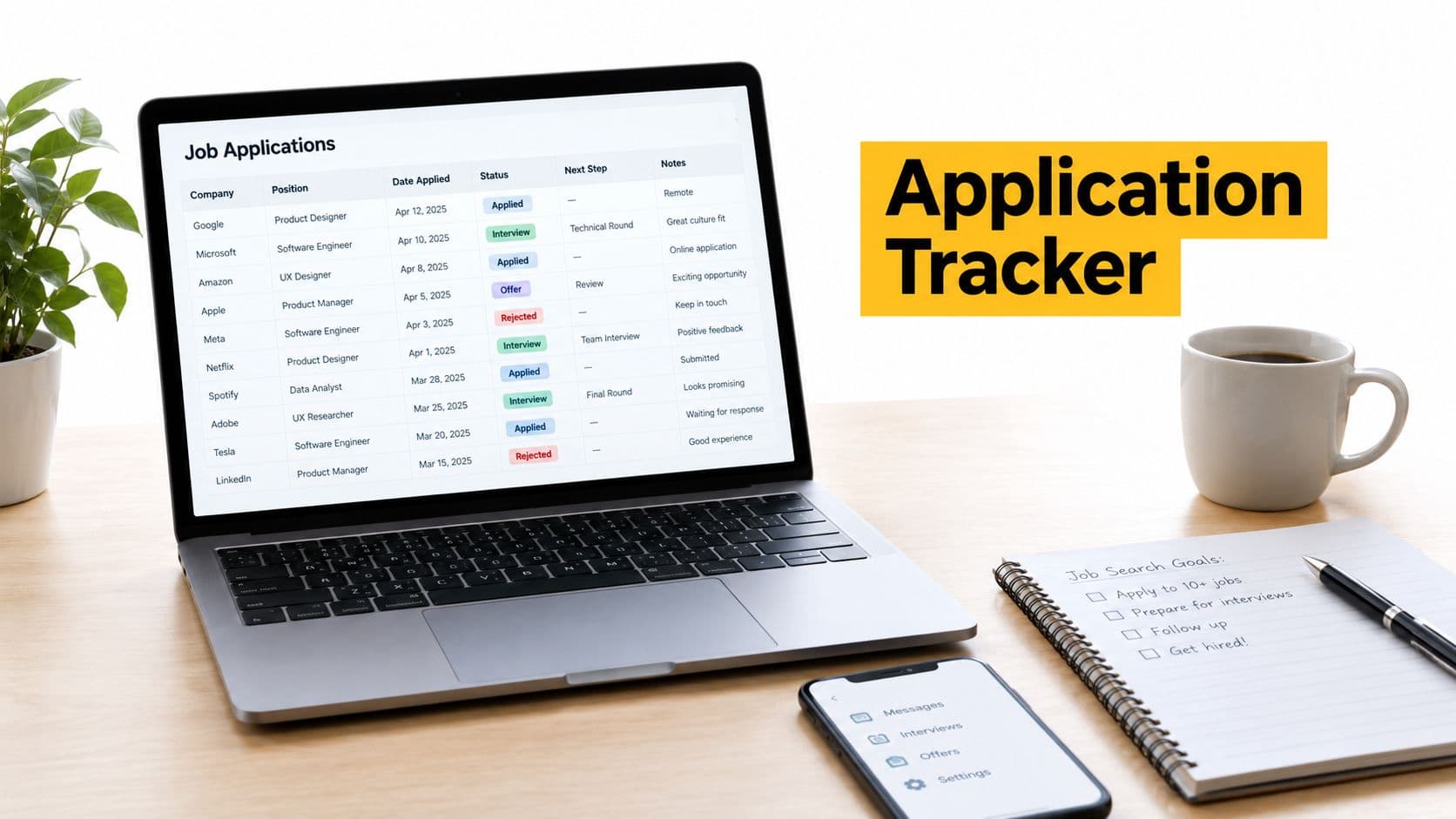
The popular advice is to choose the most advanced application tracker you can find. That's backwards. The best tracker is the one you'll keep current when the search becomes repetitive, uncertain, and crowded.
Your choice should reflect application volume, resume-tailoring needs, dependence on one job board, interest in networking, tolerance for automation, and curiosity about employer response patterns. A lightweight board may beat an AI workspace if you apply selectively. A purpose-built platform may be worth the setup if you're managing many roles across several sources.
That need has grown sharper as recruiting has become harder to interpret. ATS adoption has moved from early spreadsheet-based systems to standard hiring infrastructure, with reported use by about 75% of organizations and 98% of Fortune 500 companies according to Monster's job application behavior report. Candidates now need more than a list of saved links. They need capture, status visibility, follow-up control, privacy, and a way to judge whether more effort is sensible.
This comparison evaluates tools by workflow ownership, not feature count. GhostedBy is included as the featured candidate-experience option because it combines a private application board with company-level response and ghosting outcomes. It isn't the universal winner. It's most useful when the question is not only “Where did I apply?” but also “How does this employer treat applicants?”
Table of Contents
- 1. GhostedBy
- 2. Huntr
- 3. Teal
- 4. Jobscan
- 5. Simplify
- 6. Careerflow
- 7. LinkedIn My Jobs
- 8. Indeed My Jobs
- 9. LoopCV
- 10. JibberJobber
- Top 10 Application Trackers, Feature Comparison
- Choose the Tracker That Matches Your Search Strategy
1. GhostedBy
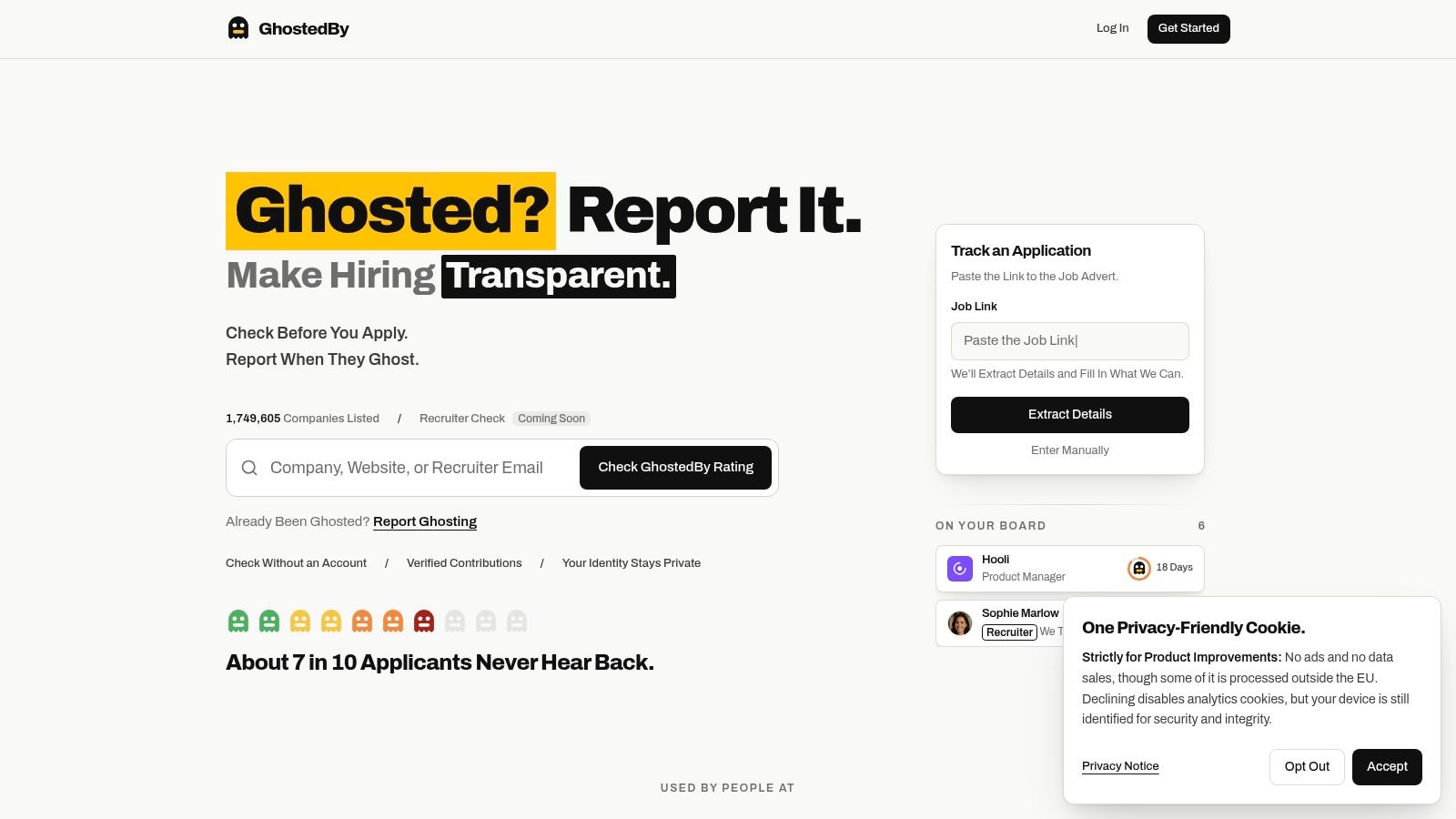
GhostedBy starts before the application. Its Ghosted Ratings make candidate experience visible through aggregated outcomes such as response, closed process, and ghosting, rather than written reviews or subjective company scores. That gives candidates a practical signal to consider alongside role fit, compensation, and career prospects.
The distinction matters because silence is common, but it's usually invisible. GhostedBy lets candidates search companies, review available outcome patterns, and decide where to spend their time before submitting an application. Individual identities, roles, dates, and application details remain private. Only aggregated company-level information becomes public.
Best for candidate-experience visibility
The private application board tracks roles, stages, dates, and outcomes in one place. Candidates can move an application through stages such as application, screening, interviews, closed, and ghosted. Automatic application tracking can connect job-related emails to the relevant record, while the optional Agentic Inbox is designed to keep job-search messages organized.
GhostedBy uses a 21-day window before silence can count as ghosting after the last relevant contact. Contributors verify their email before an outcome can affect the public record. A company needs five eligible outcomes before a percentage is shown, so early records display counts rather than presenting a thin sample as a definitive rating. The platform also publishes moderation and eligibility rules, and companies can't pay to influence ratings.
Practical rule: Treat a Ghosted Rating as a decision signal, not a prediction. A limited record should encourage caution, not provide false certainty.
The core experience, including company checking, private tracking, and reporting, is free for candidates. The Agentic Inbox is an optional paid add-on listed at $4 per month while needed, and the project is community funded through voluntary contributions. The trade-off is coverage. Voluntary reporting means smaller or less-searched companies may not have enough eligible outcomes, and email verification doesn't independently validate every application claim.
GhostedBy is strongest for candidates who want response context before applying, people managing multiple applications, career coaches, and researchers studying hiring behavior. It turns isolated silence into structured evidence without exposing personal application histories.
2. Huntr
Huntr is the strongest fit for candidates who want a purpose-built application board with analytics attached. Its Kanban-style workflow lets users move roles through stages such as saved, applied, interviewing, and offer, while timeline history preserves what happened along the way.
The Chrome clipper is central to the workflow. Instead of copying a job description into a spreadsheet, you can save a posting directly into the tracker while browsing. That reduces the friction between discovering a role and creating a usable record, especially when your search spans multiple job boards.
The tracker also connects applications to funnel analytics, so candidates can review movement from applications to interviews and offers. Those metrics are useful for accountability, but they need interpretation. A low interview count could reflect weak targeting, poor resume alignment, a narrow role market, or just a small sample of applications. The dashboard can show the pattern, but it can't explain it by itself.
Best for a structured application funnel
Huntr also includes a resume and cover-letter builder with AI-assisted customization. That creates a coherent workflow from saved job to customized materials to outcome tracking. The cost is that the most advanced resume features and unlimited customization sit on paid tiers, so the free experience may be sufficient for basic tracking but not for intensive optimization.
Huntr has also been used by universities and bootcamps that provide branded tracking environments for cohorts. That makes its accountability model particularly suitable for candidates who benefit from deadlines, progress reviews, or coaching.
A funnel dashboard is only useful when each application has a consistent stage, source, and outcome. Otherwise, the numbers describe inconsistent record-keeping.
Power users may find overlapping features if they already have a separate resume system, notes app, and analytics workflow. Huntr's advantage is integration, not minimalism. Choose it when you want one polished workspace and can justify paying for deeper tailoring. See Huntr's guide to tracking job applications for a complementary way to structure the underlying process. Visit Huntr to evaluate the board and capture workflow.
3. Teal
Teal owns the intersection between job tracking and resume preparation. Its workspace combines a Job Tracker, resume builder, and Chrome extension, so a saved role can become a customized application rather than another abandoned browser tab.
The free tier covers core tracker functionality, including saved roles, notes, deadlines, and contact linking. Its extension can capture jobs from major boards, which is useful when the job search starts with broad discovery but requires more deliberate organization later.
Best for resume-led applications
Teal's differentiator is the connection between the job record and the resume. Teal+ adds deeper AI analysis, keyword matching, and advanced resume capabilities. That makes the tool more appropriate for candidates who tailor materials frequently and want the job description to remain visible while editing.
The trade-off is subscription dependence. The core tracker is available without payment, but advanced analytics and AI features require Teal+. Weekly, monthly, or quarterly billing can accumulate if you keep the service throughout a long search, so the relevant comparison isn't just whether the tracker is free. It's whether the paid resume workflow replaces another tool you'd otherwise use.
A candidate applying selectively may not need keyword matching for every role. Someone pursuing several closely related positions may benefit more because the same base resume can be adjusted against distinct requirements while the tracker preserves the relationship between each version and each application.
Best use: Save the role first, extract the requirements, tailor the resume, then record which version you sent. The tracker becomes a decision record, not just a storage bin.
Teal is less focused on company-level response context or deep relationship management. It's best when resume quality is the bottleneck. For a broader organizing approach, this job-search organizer guide provides useful context. Explore the Teal job-search workspace before deciding whether its paid layer matches your application volume.
4. Jobscan
Jobscan is the logical choice for candidates who already think in terms of resume-to-job-description matching. Its free Job Tracker adds a board view, tasks, notes, and a Chrome clipper, but the product's center of gravity remains ATS-oriented resume and LinkedIn optimization.
The clipper can save postings from LinkedIn, Indeed, and Glassdoor into the tracker. That's valuable when the candidate's main problem is losing the job description after tailoring a resume. The saved role becomes a reference point for the keywords, qualifications, and version of materials used.
Best for ATS-conscious workflows
The tracker itself is free, which makes it a sensible companion to Jobscan's optimization tools. Premium resume and LinkedIn scans add deeper keyword analysis, so the platform's value rises when the candidate wants to diagnose alignment rather than merely store applications.
It's less compelling as a relationship-management system. You can organize roles and add notes, but the workflow is oriented toward matching and application preparation, not maintaining a detailed network of contacts, conversations, referrals, and long-term company relationships.
That focus creates a useful trade-off. Candidates who submit a small number of highly focused applications may get more from Jobscan than from an automation-first platform. Candidates whose main issue is follow-up or networking may find the matching interface too narrow.
Do not confuse keyword alignment with application quality. A tracker can preserve the terms used in a job description, but the candidate still has to substantiate those terms with accurate experience.
Use Jobscan's Job Tracker if resume optimization is already part of your process. It's a particularly efficient choice for someone who wants a free organizational layer without abandoning a dedicated ATS-matching workflow.
5. Simplify
Simplify is built around a different ownership model: application speed. Its Copilot browser extension autofills application forms and keeps a record of the roles and statuses associated with that activity.
That matters for candidates who repeatedly enter the same education, experience, location, work authorization, and contact information into employer ATS forms. Simplify can reduce repetitive data entry, while the integrated tracker prevents speed from destroying visibility into what was submitted.
Best for high-volume manual review
The product also connects applications with a resume builder and networking or referral tools. That gives candidates a path from discovering a role to finding a connection and submitting materials without maintaining several unrelated systems.
Autofill isn't the same as accurate submission. Employer ATS forms vary, field labels can be ambiguous, and screening questions often require judgment. Candidates still need to review every completed form, confirm the correct resume version, and check that sensitive answers haven't been inserted incorrectly.
Simplify's advanced AI features require Simplify+, so the free experience and paid workflow should be compared separately. The product is most useful when repetitive entry is consuming attention, not when the candidate is still deciding which roles deserve an application.
A high-volume workflow can also create a quality problem. If the tool makes it easy to apply, the candidate needs stronger filters for role fit, location, seniority, and evidence of genuine interest. Otherwise, a fuller tracker may just document more low-probability submissions.
Manual review remains part of the application. Autofill should remove typing, not remove responsibility for what the employer receives.
Choose Simplify when speed and a central application record matter more than deep employer-response analysis. It's a practical option for repetitive workflows, provided the candidate treats autofill as a draft that requires inspection.
6. Careerflow
Careerflow connects three tasks that candidates often separate: saving a job, tailoring a resume, and tracking the result. Its Kanban-style Job Tracker includes notes, reminders, and analytics, while the Chrome extension captures opportunities from LinkedIn, Indeed, and company sites.
The integrated resume optimizer and job-description summarizer make the workflow especially direct. A candidate can save a role, review the requirements, adjust materials, and retain the application outcome in the same environment. That reduces the risk of sending a customized resume without recording which version went to which employer.
Best for an AI-assisted application loop
Careerflow's free plan includes the tracker, while paid tiers expand AI features. That division is useful for testing the organizational workflow before paying for more automation or analysis. It also means candidates should inspect current limits before building their entire process around features that may sit behind a paid plan.
The product's documentation and visible update activity suggest an active development workflow, but plan pages and pricing matrices have moved at times. Confirm the current package and limits at purchase instead of relying on an older comparison.
Careerflow is less suitable for a candidate whose central question is how a company treats applicants. It can show that an application was submitted and remind you to follow up, but it doesn't provide the same company-level response record as a candidate-experience platform.
Its strength is continuity. The candidate who repeatedly loses track of resume versions, job descriptions, and follow-up dates gets a single workflow rather than three disconnected tools.
Explore Careerflow if resume tailoring is central and you want AI assistance next to the application board. Keep a manual review step for summaries and suggested edits, especially when a change could overstate your experience.
7. LinkedIn My Jobs
LinkedIn My Jobs is the lowest-friction option for candidates whose search begins and ends largely on LinkedIn. It aggregates saved and applied postings, so there's no separate tracker to configure and no additional capture habit to build.
For applications made through supported Apply Connect partners, LinkedIn can reflect status updates such as application submitted or viewed. Email notifications can also surface application-related changes. That provides useful visibility when the employer's ATS sends information back through the integration.
Best for one-board searches
The limitation is scope. My Jobs is mainly a record of roles saved or applied to through LinkedIn. Applications completed on company sites, niche boards, referrals, or email may remain outside the system, which can produce a misleadingly complete-looking history.
Status synchronization also depends on integration. A missing update doesn't necessarily mean that nobody reviewed the application, and a visible status may not describe the next action a candidate should take. The feature's placement and interface have changed over time, so users should treat it as a convenient board record rather than a universal source of truth.
LinkedIn works well for a candidate who wants to avoid setup and already keeps most search activity on the platform. It works poorly as the sole system for a multi-channel search or a networking-heavy campaign that needs detailed contact logs.
Use LinkedIn My Jobs to capture the roles you find there, then add off-platform applications to another system if you need a complete record. Its main advantage is habit. If you already check LinkedIn daily, you're more likely to keep this tracker current.
8. Indeed My Jobs
Indeed My Jobs is similarly effective when Indeed is the candidate's primary source. It provides Saved, Applied, Interviewing, and Archived lists, helping users avoid submitting the same application twice and making the next action easier to find.
For roles posted or applied through Indeed Apply, the hub can provide stronger status visibility and additional application details. Next-step reminders may also appear for tracked roles, depending on the posting and available workflow.
Best for low-setup application control
The appeal is simplicity. A candidate doesn't need to design stages, create fields, or install a separate extension to know which Indeed roles have already received attention. That makes it a reasonable choice for a short, focused search.
Its weakness is the boundary around Indeed-hosted activity. It doesn't automatically become a complete history of applications submitted through employer sites, other job boards, referrals, or direct recruiter outreach. The strongest status information also applies to roles that remain inside the Indeed ecosystem.
Candidates should therefore avoid treating an empty or outdated My Jobs list as evidence that an application disappeared. It may indicate that the application happened elsewhere or that the employer hasn't returned a status update.
Use one source of truth for the full search. A job board's built-in list is convenient, but convenience becomes a blind spot when applications spread across platforms.
Indeed is a good fit for minimal friction and basic duplicate prevention. For a more deliberate follow-up routine, this job application follow-up guide can help turn the saved record into a dated next action. Start with Indeed if most of your applications use Indeed Apply, and add a broader tracker when that stops being true.
9. LoopCV
LoopCV is the most automation-oriented tool in this comparison. It scans supported job boards, matches roles against a CV, and can submit applications on a candidate's behalf. Its dashboard records automated runs and their progress, giving the user a place to inspect what the system attempted.
That workflow addresses a real administrative burden. Candidates pursuing many similar roles can delegate repetitive discovery and submission instead of manually opening each posting. A free plan provides a way to test whether the approach fits before committing to a broader paid workflow.
Best for speed with a verification discipline
Automation changes the main risk. With a manual tracker, missing an entry is usually a record-keeping problem. With auto-apply, a weak match, outdated resume, incorrect answer, or unsuitable posting can become a submission problem. Job-board rules and employer ATS behavior can also vary, so the dashboard should be treated as an audit queue rather than proof that every application was high quality.
LoopCV is stronger on discovery and submission than on networking, relationship history, or company-level candidate experience. It can tell you what the automation attempted, but it won't replace a conversation log or explain why an employer's response pattern is poor.
Candidates should define exclusions before enabling broad automation. Examples include roles requiring a portfolio, detailed screening questions, relocation decisions, compensation judgment, or a referral-led approach. Those applications may deserve human ownership even if similar roles can be automated.
Automation should widen discovery, not eliminate judgment. Review the role, resume, answers, and destination before relying on the submission record.
Choose LoopCV when repetitive volume is the main constraint and you're willing to verify automated entries. It's a poor fit if your strategy depends on carefully customized narratives or relationships with hiring teams.
10. JibberJobber
JibberJobber treats a job search like a sales CRM. It tracks jobs, target companies, people, contact logs, and follow-ups over time, which makes it different from tools designed around a single application funnel.
That relationship-first design suits candidates who expect introductions, informational conversations, referrals, and repeated contact with the same organizations. The important record may not be “application submitted.” It may be who introduced you, what you discussed, when you promised to follow up, and which company team could become relevant later.
Best for relationship-led searches
JibberJobber's long-running career-management mindset also supports searches that extend beyond one hiring cycle. A candidate can maintain a company and contact history instead of starting from zero each time a role closes.
The trade-off is presentation. Its interface and pricing details are less prominently marketed than those of newer entrants, so candidates should evaluate the workflow in a trial before migrating a large contact database. People expecting a polished AI resume builder or one-click browser capture may find the CRM approach more deliberate.
JibberJobber also won't answer the candidate-experience question by itself. It can record that a contact failed to respond, but it isn't primarily a public, aggregated record of how a company handles applicants. Nor is it optimized for high-volume auto-apply.
Its value appears when relationships drive access. If every target company is just a posting URL, a simpler board may be enough. If a search depends on people, context, and repeated follow-up, the CRM structure can prevent valuable history from disappearing.
Visit JibberJobber and test whether its contact-centered workflow feels faster or slower than your current system. It's the specialist choice for candidates who manage a network, not just a queue of applications.
Top 10 Application Trackers, Feature Comparison
| Product | Core features & USPs (✨) | UX / Quality (★) | Pricing & Value (💰) | Best for (👥) |
|---|---|---|---|---|
| GhostedBy 🏆 | ✨ Searchable Ghosted Ratings, private application board, outcome reporting (21‑day window), Agentic Inbox, no written reviews, verified contributors | ★★★★☆, outcome-driven transparency; published rules; company-level record (≥5 outcomes for % shown) | 💰 Free core access; Agentic Inbox optional ($4/mo while used); community-funded; no pay-to-influence | 👥 Job seekers checking company response patterns, active applicants, career coaches, researchers |
| Huntr | ✨ Kanban boards, Chrome clipper, funnel analytics, AI resume/cover letter tools | ★★★★☆, polished UI; built for cohorts and scale | 💰 Free + paid tiers; advanced resume features on paid plans | 👥 Students, bootcamps, power applicants, program managers |
| Teal | ✨ Job tracker + resume builder, Chrome extension, AI keyword matching (Teal+) | ★★★★☆, balanced tracker and resume workflow; free core | 💰 Free core; Teal+ paid for advanced AI/analytics | 👥 Applicants wanting integrated resume editing and tracking |
| Jobscan (Job Tracker) | ✨ Free job tracker, Chrome clipper, ATS/resume matching tools | ★★★★☆, strong ATS optimization focus; pairs with Jobscan tools | 💰 Free tracker; premium scans and features paid | 👥 Applicants prioritizing ATS optimization and resume matching |
| Simplify | ✨ Copilot autofill, tracker, resume builder, referral tools | ★★★☆☆, speeds high-volume applying; autofill quality varies by ATS | 💰 Free + Simplify+ paid for advanced AI | 👥 High-volume applicants seeking faster submissions |
| Careerflow | ✨ Kanban tracker, Chrome extension, integrated resume optimizer, job summarizer | ★★★★☆, cohesive save→tailor→track workflow; active updates | 💰 Free plan; paid tiers for expanded AI | 👥 Applicants who want quick tailored resumes per application |
| LinkedIn, My Jobs | ✨ Saved/applied roles hub, status sync with partner ATSes | ★★★☆☆, zero setup for LinkedIn users; limited outside LinkedIn | 💰 Free | 👥 LinkedIn-first job hunters |
| Indeed, My Jobs | ✨ Saved / Applied / Interviewing / Archived lists, reminders where supported | ★★★☆☆, best when using Indeed-hosted applications | 💰 Free | 👥 Indeed-heavy job searchers |
| LoopCV | ✨ Automated job discovery & auto-apply, dashboard to monitor runs | ★★★☆☆, saves time; automation effectiveness varies by board/ATS | 💰 Free trial; paid plans for scale | 👥 Candidates pursuing high-volume, automated applications |
| JibberJobber | ✨ CRM-style tracking for jobs, people, companies, contact logs & follow-ups | ★★★☆☆, veteran, relationship-first workflow | 💰 Freemium/paid options (varies) | 👥 Networking-heavy searches, long-term career management |
Choose the Tracker That Matches Your Search Strategy
There isn't one best application tracker because candidates don't own the same workflow. A person applying selectively to carefully researched companies needs different controls from someone submitting many similar applications. The right choice is the tool that owns the part of the search most likely to fail.
Choose GhostedBy if you want private application tracking plus company-level response context. It's particularly useful before applying, when a candidate is deciding whether a company deserves time, and after applying, when silence needs to become a dated, reportable outcome. Its public record is aggregated rather than review-driven, while the private board handles roles, stages, dates, and outcomes.
Choose Huntr or Teal for a full-purpose workspace. Huntr is the stronger fit for a polished board with funnel analytics, clipping, and optional resume customization. Teal is a better match when resume editing and job tracking need to sit together, especially for candidates who want to compare a saved job with customized materials.
Choose Jobscan or Careerflow when resume tailoring is central. Jobscan is oriented toward ATS matching and resume-to-description analysis. Careerflow connects job capture, AI-assisted tailoring, and outcome tracking into a more continuous workflow. Neither should be treated as a substitute for reviewing whether the application accurately represents your experience.
Choose Simplify or LoopCV when speed is the main objective. Simplify helps reduce repetitive form entry while preserving a record. LoopCV goes further into automated discovery and submission, but its time-saving value comes with a larger verification obligation. The faster the tool acts, the more carefully you should inspect what it did.
Choose LinkedIn or Indeed for low-friction tracking inside one job board. These tools work when most of your activity stays on their platforms. They become incomplete when referrals, employer sites, niche boards, and direct recruiter conversations make up a meaningful part of the search.
Choose JibberJobber for a relationship-led campaign. Its CRM-style approach is better suited to contacts, companies, conversations, and follow-ups than to pure application volume.
Set up whichever tool you choose with the same basic record:
- Define stages: Use consistent stages such as To Apply, Applied, Screening, Interviewing, Final, Closed, and Ghosted.
- Record the source: Note whether the role came from LinkedIn, Indeed, a company site, a referral, or another channel.
- Capture the application date: This gives every follow-up decision an objective starting point.
- Attach the resume version: Keep the exact file or version name connected to the application.
- Set a follow-up date: Industry guidance commonly recommends waiting about 5 to 10 business days before a first follow-up, according to Robert Half's follow-up guidance. Use that as a planning window, not a guarantee of response.
- Review weekly: Update stages, close dead opportunities, record replies, and identify companies where silence is becoming a pattern.
- Verify automation: Check autofilled forms, AI edits, email matches, and auto-submissions manually before trusting the record.
The need for that discipline is clear from the candidate side. A U.S. survey reported that 57.5% of applicants identified applying and not hearing back as one of their biggest frustrations, while 53% said an employer had ghosted them within the past year, according to HR Dive's report on the hiring trust gap. Employer overload can be part of the explanation, but it doesn't make an unrecorded application easier to interpret.
Privacy deserves equal attention. Review what an extension can read, whether job emails are imported, how resumes are stored, and whether automated submissions can use outdated information. A tracker should reduce administrative work without weakening application quality or exposing more personal data than the workflow requires.
The best choice is therefore practical rather than fashionable. Pick the tool that matches your search strategy, create a consistent record, and use it long enough to learn from your own response patterns. If the system makes you apply faster but leaves you less informed, it isn't improving the search. If it helps you tailor thoughtfully, follow up on time, protect your privacy, and stop investing in poor-response workflows, it's doing its job.
GhostedBy combines a private application board with company-level response and ghosting outcomes, so you can organize your search and assess candidate experience in the same workflow. Visit GhostedBy to check companies before applying, track roles privately, and turn hiring silence into structured evidence.