
You've probably done this already. You applied to a batch of roles, got a few auto-confirmation emails, maybe one recruiter note, then two or three weeks later you realized you couldn't answer a basic question: which applications are alive, which are stalled, and which companies have already gone silent.
That's the problem. Job seekers don't need a prettier list of companies. They need a system that shows outcomes, exposes dead channels, and tells them when to stop waiting.
If you want to learn how to track job applications properly in 2026, stop building a scrapbook. Build a funnel. A good tracker should tell you where responses come from, how long silence lasts, which resume version converts, and which employers repeatedly disappear.
Table of Contents
- Why Most Job Search Spreadsheets Fail
- What a Tracker Must Capture to Be Useful
- Building Your Application Board From Scratch
- Connecting Email, Stages, and Updates in One Place
- Reading Your Numbers to Improve the Funnel
- Turning Ghosting Into a Measurable Signal
- A Weekly Habit That Keeps the System Alive
Why Most Job Search Spreadsheets Fail
The breaking point usually comes when someone says, “I think I applied there last month,” and they can't prove it.
That's not a motivation problem. It's a design problem. Most job search spreadsheets are built like storage lockers. They hold company names, role titles, and a date applied. Then they just sit there while the actual search happens somewhere else, usually in your inbox and your memory.
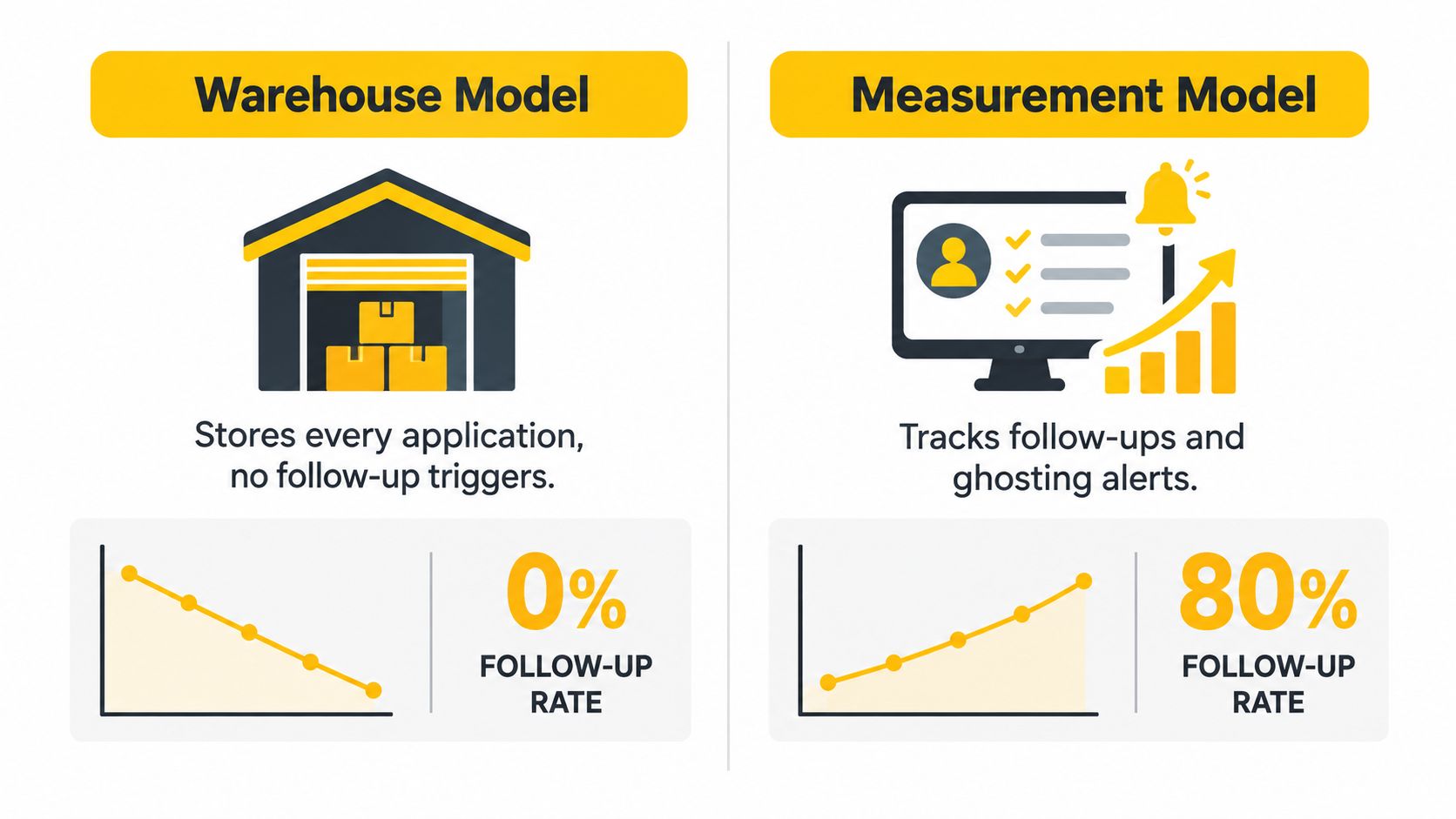
Storage isn't tracking
A list can tell you what you sent. It can't tell you what happened.
That distinction matters because employer silence is common enough that memory fails fast. A Fortune-reported Criteria Corp survey summarized here found 48% of job applicants got no response from employers in 2025, up from 38% in 2024. The same summary notes a separate Indeed survey where 35% of U.S. job seekers in 2023 said an employer didn't acknowledge their application, compared with 32% in 2022.
If nearly half of applicants hear nothing, then “I'll remember who hasn't replied” is fantasy.
Practical rule: If your tracker can't identify silence, it can't manage a modern job search.
The missing fields cause the failure
Most spreadsheets fail because they omit the columns that make follow-up possible. No source field. No last-contact date. No stage history. No next-action date. No silence threshold. Without those, you can't answer the only questions worth asking:
- Which channels work: company site, recruiter outreach, referral, LinkedIn, aggregator
- Which documents convert: resume version A versus version B
- Which employers go dark: not just once, but repeatedly
- Which applications need action now: follow-up, archive, or move on
A tracker that doesn't measure outcomes turns you into an inbox watcher. A tracker that records silence as a dated event gives you control back.
What a Tracker Must Capture to Be Useful
Open your tracker six weeks into a search and ask one hard question: can you tell, in under two minutes, which employers respond, which channels convert, and which applications crossed your silence threshold? If the answer is no, your tracker is a filing cabinet.
A useful tracker measures outcomes. It lets you compare employers before you waste more time on them, spot weak sources, and enforce follow-up rules without relying on memory.
Start with one row per application. Capture company, role title, source, job URL, date applied, current stage, first response date, interview date, last meaningful contact, notes, and next action date. Those fields are enough to calculate response rate, interview rate, time to first response, and days since last contact. They also let you apply a hard rule for silence instead of guessing.
The fields that actually matter
Skip the bloated templates with 25 nice-to-have columns and no decision value. Track the fields that change what you do next.
| Column | Why you need it | Example |
|---|---|---|
| Application ID | Gives each application a unique reference for filters and follow-ups | APP-104 |
| Company | Lets you group outcomes by employer | Figma |
| Role Title | Separates similar roles across teams | Product Operations Manager |
| Job URL | Preserves the posting and job details | careers.company.com/job/123 |
| Date Applied | Starts the clock for response and silence tracking | 2026-09-04 |
| Source | Shows which channel produced the application | Referral |
| Resume Version | Ties results to the version you sent | R-v3 |
| Contact Name | Identifies who replied or owns the process | Jamie Lee |
| Contact Email | Makes follow-up fast and accurate | jamie@company.com |
| Current Stage | Keeps pipeline counts clean | Recruiter Screen |
| First Response Date | Measures whether the employer actually engages | 2026-09-10 |
| Interview Date | Marks movement into a real evaluation stage | 2026-09-15 |
| Last Meaningful Contact | Restarts the silence clock after any real update | 2026-09-15 |
| Notes | Stores concrete facts, not a diary | Salary range shared |
| Next Action Date | Tells you exactly what needs attention this week | Follow up 2026-09-22 |
Two fields deserve more respect than they usually get: Source and Last Meaningful Contact.
Source tells you whether referrals, recruiter outreach, LinkedIn, company sites, or aggregators are worth your time. Last meaningful contact is what makes ghosting measurable. Without it, you cannot apply a 21-day silence rule consistently, and you cannot compare one employer's behavior against another's.
Use fixed stages or your data becomes useless
Free-text status labels ruin analysis fast. “Waiting,” “still in play,” and “checking in next week” are not stages. They are notes.
Use a fixed list such as Applied, Recruiter Screen, Hiring Manager, Technical, Final, Offer, Rejected, Withdrawn, Ghosted.
That stage list does two jobs. First, it keeps your counts accurate. Second, it lets you find patterns across employers. If one company tends to go dark after the recruiter screen and another reliably rejects within a week, that matters before you apply to a second role there.
Published candidate-response expectations make the timing fields matter. An analysis citing 2025 recruiting metrics reports that 75% of applicants expected to hear back within two weeks, 58% expected a response within one week, and the median response time was 6.7 days. Track dates tightly enough to judge employer behavior against that window. Then stop treating silence like a feeling and start recording it like an outcome.
Building Your Application Board From Scratch
Start with a blank Google Sheet, Airtable base, Notion database, Trello board, or the built-in board inside a job-search tool. The tool matters less than the field order and the update discipline.
Build the columns left to right in the order you'll review them each week.
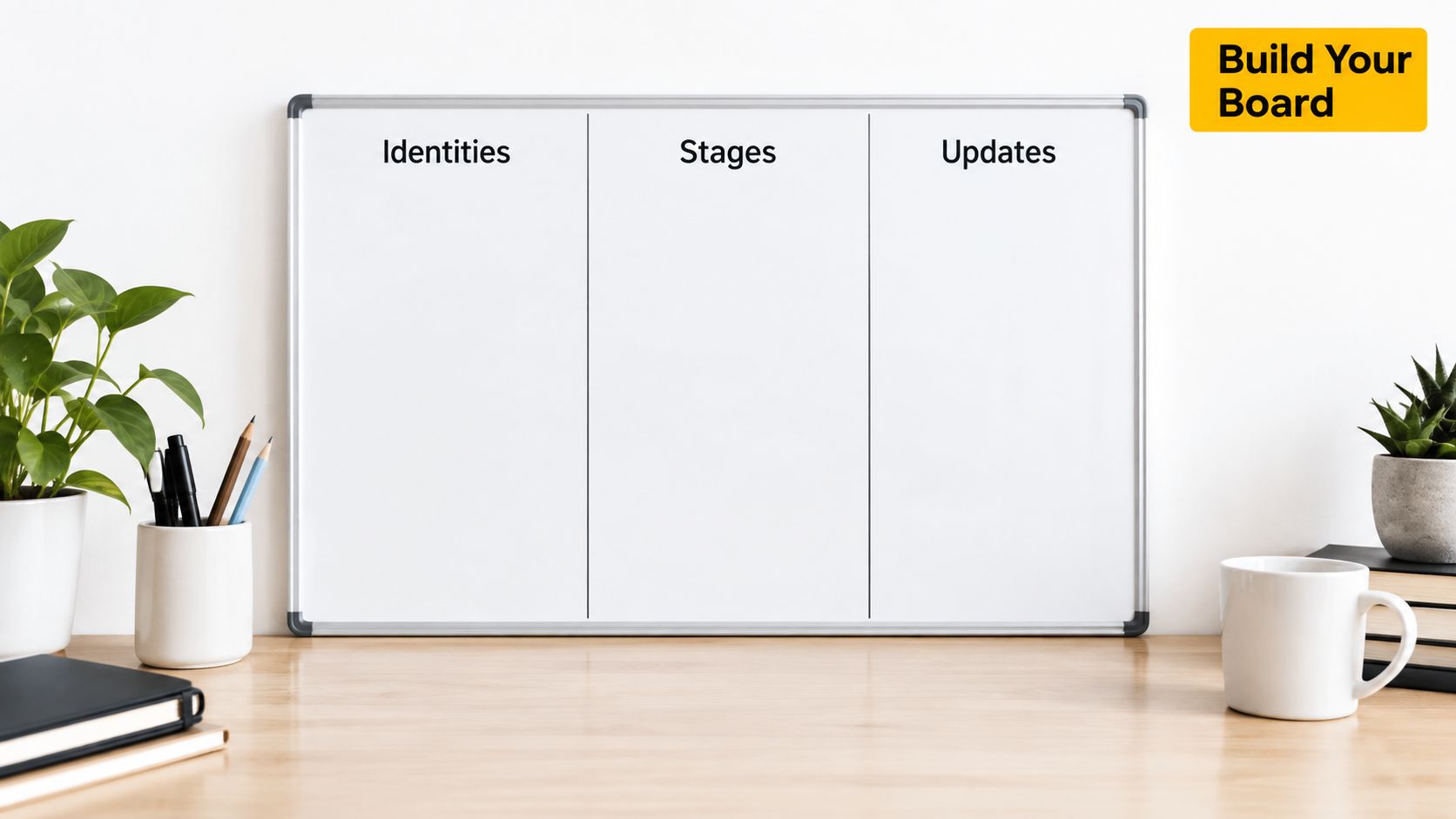
Start with identity and source
Create these first:
- Application ID
- Company
- Role
- Date Applied
- Source
- Resume Version
This order matters because it puts the filters you'll use most often at the front. Source and resume version are especially important if you want to compare what's producing movement.
Add contact and stage columns
Then add:
- Contact Name
- Contact Email
- Stage
- Last Activity Date
- Notes
Keep Stage as a single-select field, not open text. Format Date Applied and Last Activity Date as actual date fields, not text strings, or your formulas will break.
If you want a sanity check on what to research before investing time in a company, review hiring context alongside your board. A practical starting point is this piece on how to research company culture before you apply.
Finish with the two columns that make the board worth using
Add two computed fields:
- Days Since Contact
- Silence Flag
Days Since Contact is today's date minus Last Activity Date. Silence Flag turns true when that value passes your threshold.
GhostedBy's published ghosting rule is clear: an application becomes reportable as ghosted after 21 days without a response following the last relevant contact, and the clock starts from the last contact, not the original application date. That's the right model to copy even if you use a plain spreadsheet, because it reflects what happens in hiring. A recruiter screen resets the clock. An interview resets the clock. Silence after the most recent touch is what counts.
Connecting Email, Stages, and Updates in One Place
A tracker falls apart when your inbox, calendar, and board all tell different stories.
Maya is a good example. On Monday she applies to five roles: one from LinkedIn, one from a recruiter referral, one directly on a company career site, and two through aggregators. By Wednesday she has three confirmation emails, one recruiter reply, and one calendar invite for a screen.
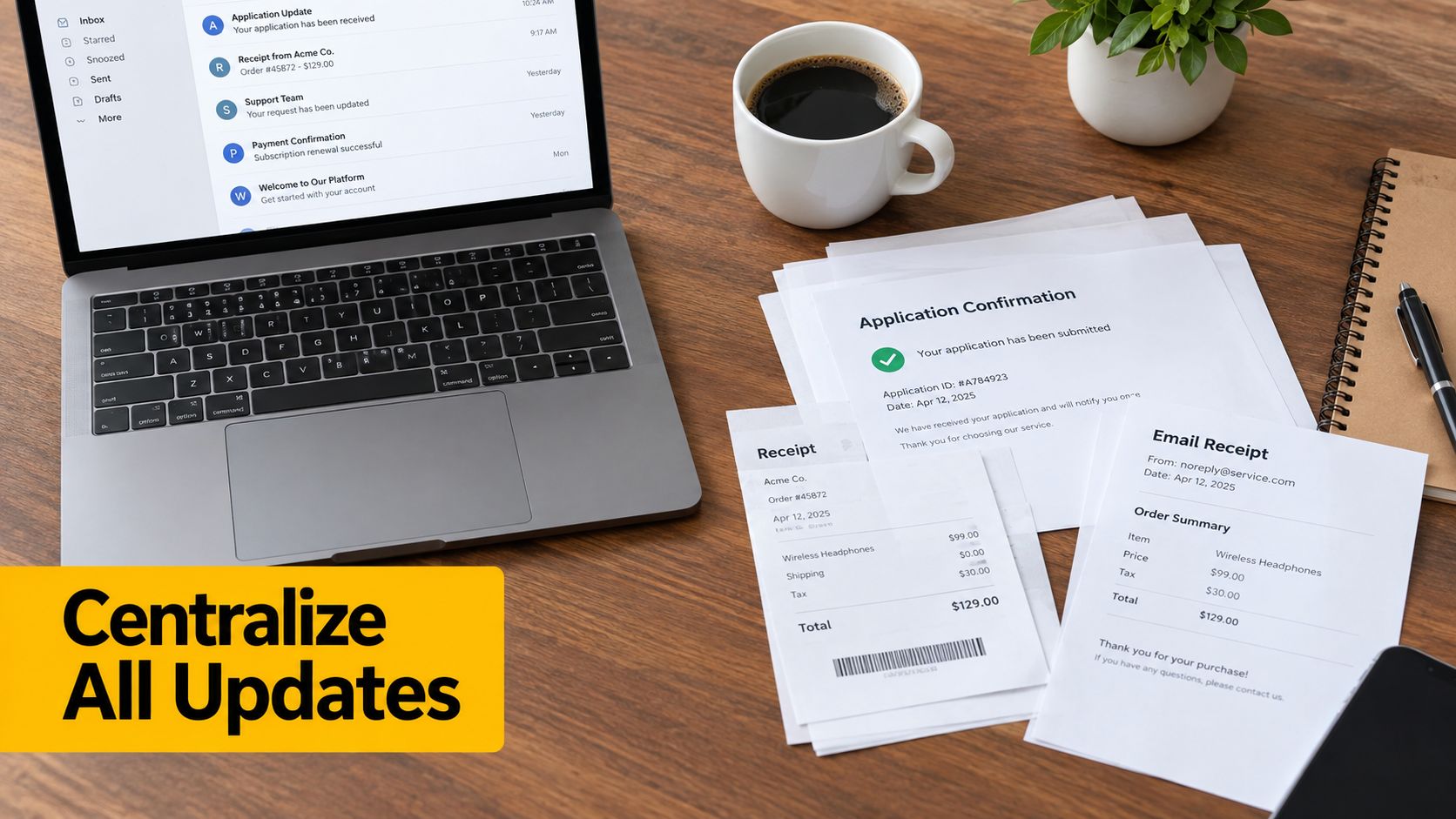
One inbox event should trigger one board update
When Maya's inbox is connected to her tracker, each confirmation or recruiter response maps back to the right application row. The source tag matters here. If the system sees the role came from a referral, that application should stay labeled as referral even if later emails come from an internal recruiter.
Her board changes like this:
- Application sent: row created with Company, Role, Source, Date Applied
- Confirmation received: Last Activity Date updates
- Recruiter reply arrives: Stage moves from Applied to Recruiter Screen
- Interview invite lands: Interview Date is added, Stage moves forward
- No response after the threshold: Silence Flag turns on
The board should drive reminders, not your memory
The best setup creates follow-up tasks automatically after a stage change. If a recruiter replies, your system should set a reminder for the next check-in window. If an interview ends, your system should log the date and start counting from that point.
A private application board with outcome reporting can handle this inside one workflow. For example, GhostedBy combines stages, dates, and connected conversations so a candidate can keep applications and communication in one place without rebuilding the same context every week.
When your board and inbox disagree, trust neither until you fix the data.
The point isn't fancy automation. The point is one source of truth that survives a busy week.
Reading Your Numbers to Improve the Funnel
You send 40 applications in a month, feel busy, and still have no idea what is working. That is the standard failure mode. A tracker earns its keep only when it shows which inputs create interviews and which ones waste your time.
Start with three numbers: response rate, screen rate, and applications per screen. Then break them down by source, role family, and resume version. If you only look at totals, you hide the pattern that should change next week's plan.
Compare cohorts, not just volume
Treat each channel like its own experiment. Referrals, company sites, LinkedIn, recruiter outreach, and aggregators do not perform the same, so stop judging them with one blended average.
If referrals get replies and aggregator submissions disappear, cut the aggregator volume. If one resume version gets traction for operations roles but stalls on product roles, split the resume and keep testing. Generic documents and generic channel mix produce generic results.
Here's a simple way to read channel-level performance:
| Channel | Applications Sent | Response Rate | Screen Call Rate |
|---|---|---|---|
| Referral | [track in your sheet] | [responses ÷ applications] | [screens ÷ applications] |
| Company Site | [track in your sheet] | [responses ÷ applications] | [screens ÷ applications] |
| [track in your sheet] | [responses ÷ applications] | [screens ÷ applications] | |
| Recruiter Outreach | [track in your sheet] | [responses ÷ applications] | [screens ÷ applications] |
| Aggregator | [track in your sheet] | [responses ÷ applications] | [screens ÷ applications] |
One more rule matters. Do not compare tiny samples. Wait until a channel or resume version has at least 10 to 15 applications before you change course. Below that, you are reacting to noise.
Use timing to judge whether an application is still alive
Candidates waste weeks on dead applications because they never define what "still active" means. Use elapsed time. Track days to first reply, days between stages, and days since last relevant contact.
Analysts at QuietHire found that employer responses usually show up early, and late replies become much less likely as time passes. Review the figures in this job application response-rate study. The point is simple. Hope is not a metric. Time is.
That timing view also improves where you apply next. If you already know one source replies in a week and another goes dark for a month, you can shift effort before another batch disappears. A tighter job search strategy built around channel performance will beat a higher application count almost every time.
Read your funnel like an operator. Keep the channels that produce interviews. Cut the ones that produce silence.
Turning Ghosting Into a Measurable Signal
Most trackers treat ghosting like an unfortunate feeling. That's weak. Ghosting should be a field, a rule, and a pattern you can compare across employers.
Candidates don't need another app that stores sent applications. They need a system that says, “this company has gone silent after screening,” or “this recruiter replies fast,” before they invest more unpaid labor.
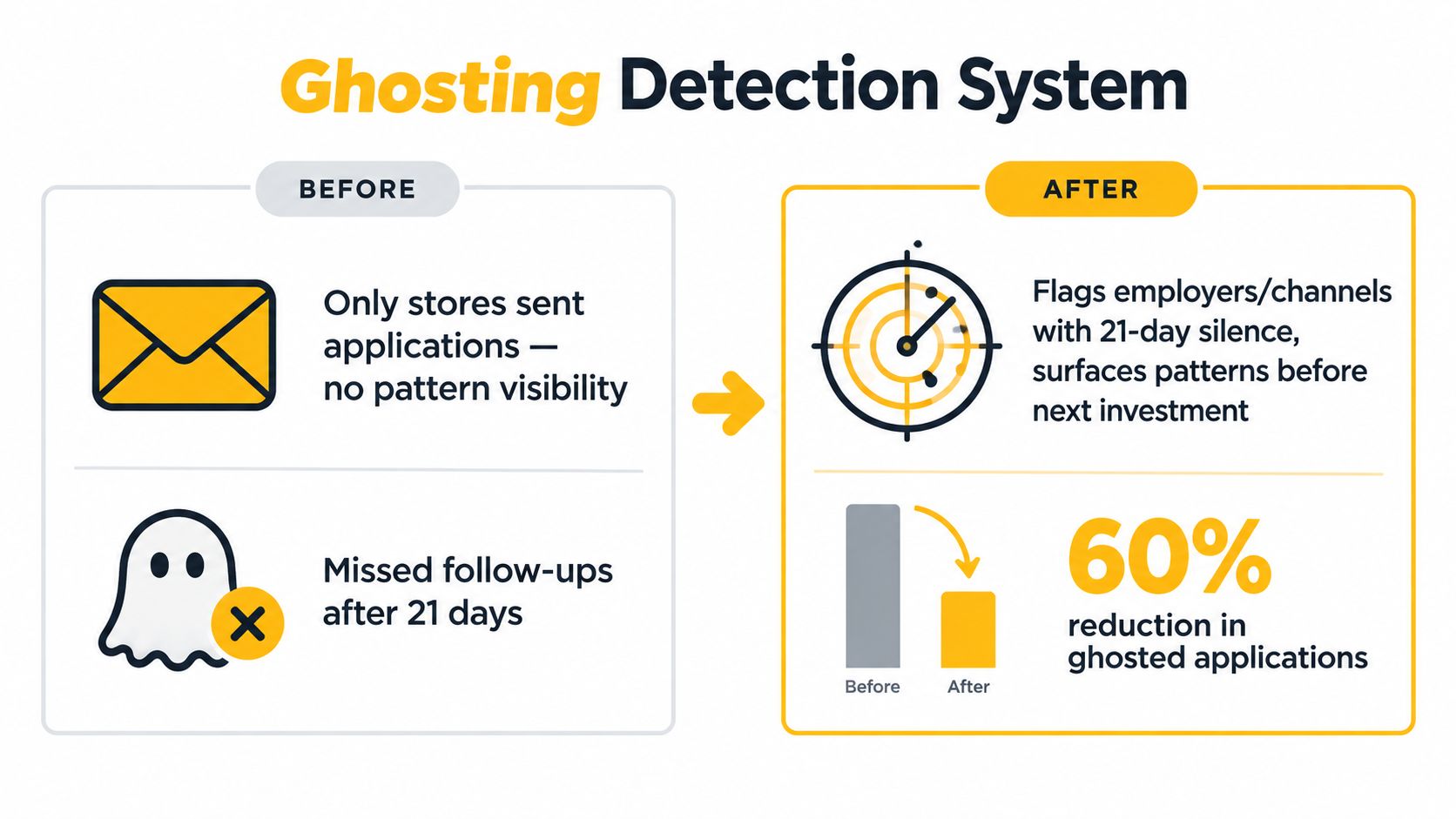
Set a hard silence threshold
Use 21 days since last relevant contact as the line. Not “whenever it feels stale.” Not “when I finally accept they're gone.” Use a rule.
That threshold matches GhostedBy's published standard for when silence becomes reportable, and it fits the bigger reality that employer silence is one of the top pain points in job searching. An iHire 2025 survey summary reported 59.0% of job seekers said lack of response after applying was their biggest challenge. The same summary also cites a 2026 report saying 53% of job seekers were ghosted in the past year.
Compare companies, not just applications
Tracking becomes strategic. Once you flag ghosted rows consistently, you can calculate a ghosting pattern by employer, recruiter, or source channel. That changes behavior before the next application goes out.
Use your board to surface signals like these:
- Employer pattern: multiple applications to the same company stall after the same stage
- Recruiter pattern: one contact responds reliably, another disappears after outreach
- Channel pattern: one source produces conversations, another produces silence
- Stage pattern: screening happens, then everything dies before hiring manager review
Recent reporting summarized in Huntr's 2025 annual job-search trends report points to a shift from basic storage toward structured pipelines, while also noting that many applicants still face extremely low response rates and that ghosting can happen after application, screening, interviews, and take-home tasks. That's why company-level pattern detection matters. It helps you decide where not to spend your next six hours.
Track silence like an outcome, because for many applications, it is one.
A Weekly Habit That Keeps the System Alive
Friday night, you fire off eight applications. By the next weekend, two confirmations are buried in your inbox, one recruiter reply is still unlogged, and three roles already crossed your silence threshold without you noticing. That is how a tracker dies. Not from bad software. From missed maintenance.
Use one fixed review block every week. Forty-five minutes on Sunday works well because it resets the board before the next round of applications. Treat that block like an interview. If you skip it, your numbers stop meaning anything.
The 45-minute reset
Split the session into four parts.
Ten minutes for intake
Pull in every new application, confirmation, rejection, and stage change from email. Update Date Applied, Last Activity Date, Current Stage, and Next Action on every active row.Ten minutes for cleanup
Mark rows that crossed your silence rule. Close roles that are clearly dead. Remove duplicates. Archive postings that vanished.Ten minutes for tagging
Fix the fields that drift first: Source, Resume Version, Role Family, and Employer Name. If those labels get sloppy, your comparisons break.Fifteen minutes for review and planning
Check where replies came from, where silence stacked up, and which employers keep stalling at the same point. Then set next week's actions: follow-ups, target companies, and sources to cut.
The weekly checklist
Use the same checklist every time:
- Check active rows: every open application needs a current stage and a last activity date.
- Apply the 21-day rule: if there has been no meaningful response within 21 days of the last relevant contact, mark the row Ghosted.
- Verify source labels: referral, company site, recruiter, LinkedIn, and aggregator should be accurate and consistent.
- Review conversion paths: compare which source and resume version combinations are earning replies.
- Spot employer patterns: check whether certain companies repeatedly go silent after application, screening, or take-home work.
- Set next actions: draft follow-ups for borderline rows and decide where next week's applications should go.
Keep the system strict
Loose tracking creates fake confidence. If you leave dates blank, rename stages on the fly, or dump half the process into Notes, you cannot trust the output. Keep stage names fixed. Log changes the day you see them. Use Notes only for context you may act on later.
The weekly review matters because hiring teams move fast when they intend to move at all. As noted earlier, candidate expectations and typical response windows are short. A board that gets updated once a month will miss the signal. A board updated once a week will show you which applications are active, which are stale, and which employers have a pattern of disappearing.
That last part is the point. Your tracker is not a filing cabinet. It is a scorecard. After a few weeks, you should be able to answer blunt questions: Which employers reply inside 10 days? Which channels produce interviews? Which companies ghost after screenings? Which ones are not worth another customized application?
The people who run effective searches are not the people with the prettiest spreadsheet. They are the ones who measure outcomes every week and cut wasted effort fast.
If you're tired of guessing which companies respond and which ones disappear, GhostedBy gives you a way to track your applications privately and check company-level ghosting patterns before you invest more time. Use it to keep stages, dates, and outcomes in one place, then let the record show where your search deserves more effort.