
A reliable job search organizer should show more than saved vacancies. It should preserve application dates, link recruiter messages to the correct role, identify the next action, and make unanswered communication visible. That record matters when several applications move at different speeds, recruiters provide inconsistent updates, or a company stops responding after an interview.
This guide examines eight GhostedBy resources for candidates managing active applications, career coaches supporting clients, and researchers studying hiring outcomes. They are complementary tools, not interchangeable features:
- GhostedBy Application Tracking Board for roles, stages, dates, and follow-ups
- Ghosted Rating System and Company Search for reviewing employer response patterns
- Agentic Inbox and Automatic Email-to-Application Connection for tying messages to applications
- 21-Day Ghosting Window Standard for interpreting prolonged silence
- Verified Contributor System for assessing the quality of shared reports
- Private Application Outcomes Reporting for recording results without exposing personal details
For each resource, the article considers practical use cases, setup requirements, workflow fit, limitations, and privacy implications. The focus is not on collecting more data for its own sake. It is on creating a defensible timeline that helps you decide whether to follow up, wait, withdraw, or redirect your effort.
GhostedBy’s core candidate access is free, making it suitable for testing a structured process before committing to a paid system. Used consistently, these resources can turn scattered confirmations and uncertain outcomes into an organized, evidence-based search.
Table of Contents
- 1. GhostedBy Application Tracking Board
- 2. Ghosted Rating System
- 3. Agentic Inbox for Job Search Email Management
- 4. 21-Day Ghosting Window Standard
- 5. Verified Contributor System for Data Integrity
- 6. Automatic Email-to-Application Connection
- 7. Private Application Outcomes Reporting
- 8. Company Search and Ghosted Rating Lookup
- Core Features Comparison of 8 Job Search Organizer Resources
- Turn the List Into a Weekly Application Workflow
1. GhostedBy Application Tracking Board
GhostedBy Application Tracking Board is a job search organizer for candidates managing several applications at once. It brings job details, email exchanges, interview stages, response dates, and outcomes into one private record, rather than leaving information scattered across inbox labels and spreadsheets.
Centralization matters most when your search includes several active applications and follow-ups.
How to configure it
For each application, record:
- Company and role: Add the employer, position, job-posting link, and source.
- Stage: Use consistent labels such as saved, applied, screening, interview, offer, rejected, or ghosted.
- Last-contact date: Record the latest message or interview so delays are visible.
- Next action: Assign a follow-up, preparation task, or decision date.
- Outcome: Mark the final result and, where relevant, whether the employer stopped responding.
The board can automatically connect captured job-related emails with applications. The optional Agentic Inbox can keep search communications separate from personal messages, although communications the system misses still need to be entered manually.
A candidate managing 12 simultaneous applications can scan every stage and last-contact date from one view. Weekly reviews may also reveal patterns, such as receiving replies within three days from 40% of companies while others regularly go silent. Check a company’s Ghosted Rating after bookmarking a posting, set a reminder around day 15, and log outcomes within 21 days to support accurate ghosting classifications. A professional might also see a 65% ghosting rate before investing time in a long application.
GhostedBy suits active job seekers, career coaches, and researchers studying hiring responses. It is less suitable for someone who prefers a lightweight spreadsheet or needs highly customized fields. For practical setup guidance, learn more about tracking job applications.
2. Ghosted Rating System
GhostedBy’s Ghosted Rating is an outcome-based signal for candidates comparing employers before applying. Instead of relying on subjective reviews, it aggregates verified reports showing how often companies respond and how often they stop communicating.
A response-rate metric can help a job search organizer distinguish employers that offer predictable feedback from those associated with frequent silence.
How to use it
Before prioritizing an application, review:
- Response rate: Compare the percentage of reported applications that received a response.
- Ghosting rate: Note how often candidates reported no meaningful follow-up.
- Outcome volume: Prefer companies with 20 or more outcomes for stronger context.
- Role and company context: Consider the department, location, seniority, salary, and application channel.
- Personal priority: Balance the rating against role fit, growth prospects, and compensation.
A company with 72% response and 28% ghosting across 47 verified applications offers a more informative signal than a firm showing only eight outcomes. The latter has not reached the minimum threshold of five eligible outcomes required for a percentage to appear, so candidates should avoid drawing firm conclusions from limited data.
The rating can affect how an applicant allocates time. Someone finding a 15% response rate might still apply for an unusually strong opportunity, but place it below employers with better feedback patterns in their job search organizer. Candidates can also track high-response companies separately if quick feedback is important, while recording their own outcomes to improve the dataset.
This approach suits applicants evaluating companies, career coaches, and researchers examining hiring practices. Its limitation is that ratings describe reported outcomes, not every hiring team or role, so they should inform rather than replace individual research. See the Ghosted Rating System before deciding where to invest application time.
3. Agentic Inbox for Job Search Email Management
Agentic Inbox is a dedicated email address for separating job-search messages from personal inbox traffic. It routes recruiter replies, interview confirmations, and hiring outcomes into a focused inbox, then connects relevant messages to applications on the candidate's board.
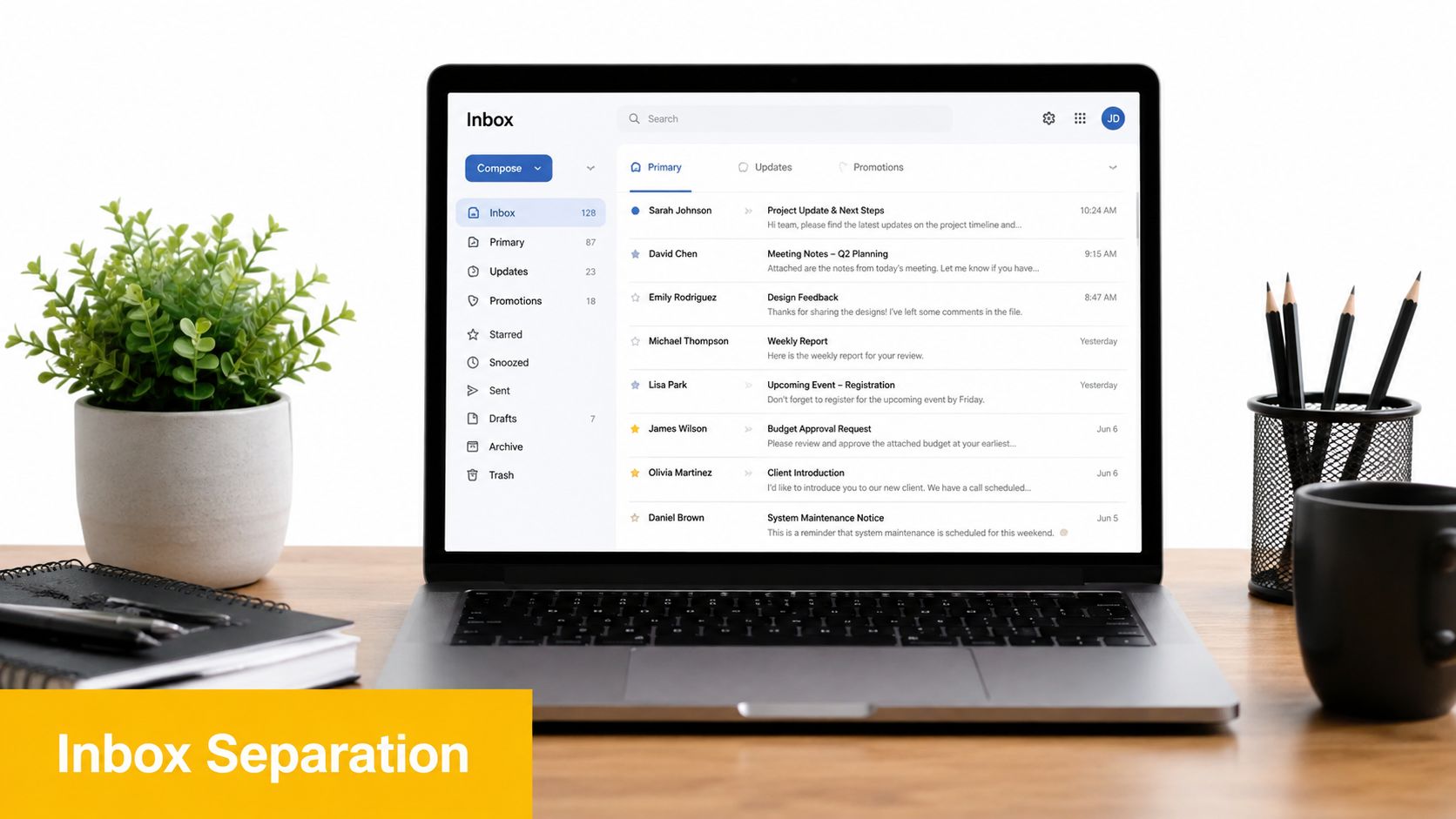
A separate inbox reduces missed deadlines and creates a clearer record of employer communication.
How to configure it
Before applying actively, set up the Agentic Inbox and:
- Use it consistently: Add the address to job-board profiles and direct applications.
- Save autofill details: Store the address in your browser to prevent typing errors.
- Check it daily: Review time-sensitive requests, scheduling messages, and recruiter follow-ups.
- Confirm automatic links: Ensure each message connects to the correct company and role.
- Review outcomes: Check that rejection or closure emails update the application record.
A candidate receiving 47 job-related emails in a week can keep them separate from 200 personal messages. An interview confirmation may automatically attach to the right application, preventing confusion between dates, interviewers, and roles. A rejection can also record the outcome without another manual entry.
This method suits professionals handling many applications, candidates concerned about ghosting, and researchers who need auditable hiring records. It is less useful for a small search with only one or two applications, and missed system matches may still require manual review. Learn more about job-search productivity and organized application tracking.
4. 21-Day Ghosting Window Standard
The 21-Day Ghosting Window Standard gives a job search organizer a consistent rule for recording employer silence. GhostedBy classifies an application as ghosted when 21 days pass without a response after the latest relevant contact, creating a measurable standard instead of relying on personal assumptions.

A fixed waiting period makes company response patterns easier to compare and report.
How to apply it
For each application, record:
- Relevant contact date: Note the submission, interview, or most recent recruiter message.
- Follow-up date: Set a reminder around day 15 if no update has arrived.
- 21-day status: Classify the application as active, resolved, or ghosted.
- Evidence: Save follow-up attempts and employer replies for accurate records.
- Outcome: Record whether the employer eventually responded, rejected, or remained silent.
The window begins after the relevant communication, not automatically after the application date. An application submitted 30 days ago with no response counts as ghosted after day 21. An interview held 25 days ago without further contact also qualifies, while a rejection received on day 18 does not count toward the company’s ghosting rate.
This approach suits candidates comparing employers before applying, professionals tracking several searches, and researchers measuring hiring communication. It also prevents premature conclusions when recruitment takes longer than expected. Add a day-15 calendar reminder, send one professional follow-up within the window, and record the result before closing the application. The method is less useful for urgent searches requiring real-time escalation or employers that publish different communication timelines.
5. Verified Contributor System for Data Integrity
GhostedBy’s Verified Contributor System supports a job search organizer by making company-response data more dependable. Contributors verify their email and confirm that they applied to or interviewed with an employer before an outcome can influence a company’s rating.
Verified reports are more useful than large volumes of anonymous claims when candidates are assessing hiring reliability.
How to configure it
After creating an account:
- Verify your email: Complete verification immediately so your future contributions can be counted.
- Use a matching address: Where possible, submit outcomes using the same email address used for job applications.
- Record the outcome accurately: Note whether the employer replied, rejected the application, or stopped communicating.
- Review moderation status: Check why a report is pending or excluded if it does not appear in the company data.
- Wait for sufficient data: Percentages display only after at least five verified outcomes are available.
For example, an unverified ghosting report remains pending rather than affecting a rating. A company with 47 verified outcomes may show a 31% ghosting rate, providing more context than an early result based on one or two submissions. An unethical competitor also cannot easily damage a company’s rating because unverified claims do not count.
This approach deserves a place in a job search organizer because it connects personal application records with accountable community data. Candidates can check a company’s moderation status before investing time in a lengthy application, while researchers and career coaches can distinguish established patterns from preliminary figures. Early contributions also help build useful records for future applicants, but each submission carries responsibility because verification gives it measurable influence.
The system suits candidates comparing employers, people who have experienced hiring ghosting, and communities tracking recruitment practices. It is less useful if a contributor cannot verify the relevant email or expects immediate percentages from a newly listed company. See GhostedBy for current verification and moderation details.
6. Automatic Email-to-Application Connection
GhostedBy’s Automatic Email-to-Application Connection links job-search emails to the matching application in a candidate’s job search organizer. Instead of searching an inbox to identify which role a recruiter mentioned, the system connects the message with the company, position, stage, and timeline.

Linking correspondence to applications creates a clearer record of employer responsiveness and candidate follow-up obligations.
How to configure it
For reliable email matching:
- Use clear subjects: Keep company and role names visible in recruiter and scheduling messages.
- Forward missing messages: Send personal-account emails to the Agentic Inbox when they do not arrive through the connected account.
- Check automated matches: Review linked messages and correct any application associations manually.
- Preserve timestamps: Keep dates intact for accurate follow-ups and outcome reporting.
- Read the full thread: Use earlier messages to prepare relevant replies and interviews.
For example, “Interview Scheduled - Software Engineer at TechCorp” can attach automatically to the correct application. A rejection message may also update the stage, while a seven-message thread retains every exchange and timestamp in one record.
This approach suits professionals managing many active applications, candidates documenting ghosting, and researchers examining hiring response patterns. It is less dependable when subject lines are vague, recruiters switch roles within one thread, or communications remain in an unconnected personal inbox. Review matches before acting, particularly if two applications share a company or similar title. See GhostedBy for current details.
7. Private Application Outcomes Reporting
Private Application Outcomes Reporting is a job search organizer method for recording what happens after each application while keeping the candidate’s identity and personal details confidential. GhostedBy lets candidates mark an application as responded, closed, or ghosted, then combines those private reports into company-level Ghosted Ratings.
Anonymous outcome data helps candidates compare hiring communication without requiring public reviews or personal exposure.
How to configure it
For each application, record:
- Outcome: Choose responded, closed, or ghosted based on what actually occurred.
- Timing: Add the result soon after a reply, rejection, or the end of the 21-day silence window.
- Application record: Keep the company, role, dates, and messages in your private job search organizer.
- Evidence: Retain the relevant email or interview note for your own records, even though it is not published.
- Review point: Include outcome reporting in your weekly application-board review.
The individual submission does not reveal your name, contact information, role details, or application dates. A response within two hours of an interview invitation contributes to the company’s response rate, while a rejection email counts as closed. Silence lasting 23 days can be reported as ghosted, which contributes to the company’s ghosting rate.
This distinction matters. “Closed” means the employer explicitly ended the process; “ghosted” describes a lack of communication after the defined waiting period. Reporting positive outcomes as well as poor ones creates a more balanced record for future applicants and researchers.
The method suits candidates comparing employers before applying, professionals managing many open applications, and career coaches studying hiring patterns. It is less useful if outcomes are not logged consistently or if a candidate expects detailed public commentary rather than aggregated statistics. For guidance, learn more about tracking job applications.
8. Company Search and Ghosted Rating Lookup
Company Search and Ghosted Rating Lookup adds an important research step to a job search organizer. Before submitting an application, candidates can search GhostedBy for a company’s response history, reported outcomes, and current Ghosted Rating when enough data exists.
A company’s communication record can help you set realistic expectations before investing time in an application.
How to use it
Search each employer and review:
- Response history: Compare the number of candidates who received responses with those who reported ghosting.
- Outcome volume: Treat ratings based on fewer than five outcomes as early signals rather than firm conclusions.
- Ghosted Rating: Use the percentage to compare communication patterns across potential employers.
- Context: Check whether results differ by department, office, or location at larger companies.
- Follow-up plan: Set a reminder based on the company’s observed response timeline.
For example, a candidate may prioritize a company with a 78% response rate over one with a much weaker record. If a startup has only three reported outcomes, the candidate can still apply, but schedule a proactive follow-up after 14 days. Comparing ratings of 45% and 72% may also justify spending more preparation time on the higher-response employer.
Add the rating, outcome count, search date, and follow-up plan to your job search organizer. Review the information during job-board browsing, not only after applying, and use it alongside role fit, compensation, location, and culture research. A high response rate does not guarantee a good workplace or a suitable position.
This approach suits candidates evaluating several opportunities, people who have experienced hiring ghosting, and career coaches helping clients prioritize applications. Ratings should remain contextual, especially where sample sizes are small. Learn more about company review sites.
Core Features Comparison of 8 Job Search Organizer Resources
| GhostedBy Offering | Core Function | User Experience & Quality | Value Proposition | Target Audience | Unique Selling Points |
|---|---|---|---|---|---|
| 🏆 GhostedBy Application Tracking Board | Private tracking of applications, stages, dates, emails, and outcomes | ★ Centralized, organized, and automated | 💰 Free core access; reduces spreadsheet and inbox work | 👥 Active job seekers managing multiple applications | ✨ Automatic email connections and private company-level data contributions |
| 🏆 GhostedBy Rating System | Shows company response versus ghosting percentages | ★ Structured, transparent, and outcome-based | 💰 Free insight before applying | 👥 Candidates researching employers | ✨ Verified outcomes, five-outcome threshold, and no written reviews or pay-to-influence |
| 🏆 Agentic Inbox | Separates job-search emails and links messages to applications | ★ Focused, searchable, and less cluttered | 💰 Optional productivity feature | 👥 Candidates handling high email volume | ✨ Dedicated inbox with automatic application matching |
| 🏆 21-Day Ghosting Window Standard | Defines when silence qualifies as ghosting | ★ Consistent and easy to understand | 💰 Creates comparable company data at no cost | 👥 Candidates seeking clear follow-up expectations | ✨ Published 21-day rule measured from the last relevant contact |
| 🏆 Verified Contributor System | Validates candidate reports and protects rating integrity | ★ Trustworthy, transparent, and harder to manipulate | 💰 Community-funded; no company pay-to-improve model | 👥 Candidates who value reliable employer data | ✨ Email verification, minimum data thresholds, and published moderation rules |
| 🏆 Automatic Email-to-Application Connection | Links hiring emails to the correct application record | ★ Efficient and reduces manual administration | 💰 Saves time across concurrent job searches | 👥 Job seekers managing many recruiter conversations | ✨ Automatic timeline creation and application-stage integration |
| 🏆 Private Application Outcomes Reporting | Privately records responded, closed, or ghosted outcomes | ★ Privacy-focused and simple to use | 💰 Contributes to transparency without public exposure | 👥 Candidates wanting to report experiences safely | ✨ Individual details stay private while aggregated results improve company records |
| 🏆 Company Search & Ghosted Rating Lookup | Checks company response patterns before applying | ★ Fast, practical, and data-informed | 💰 Free research tool for prioritizing applications | 👥 Candidates comparing potential employers | ✨ Aggregated company records reveal candidate communication patterns before application |
Turn the List Into a Weekly Application Workflow
A job search organizer works best when it supports decisions, not just record-keeping. The resources in this guide fit together as a repeatable system: company research happens before an application, personal tracking happens on the board, email supplies evidence, and shared outcomes reveal patterns that are easy to miss in isolated searches.
A practical weekly routine
Search before applying. Use Company Search and Ghosted Rating Lookup to review a company’s response history and reported ghosting patterns. Treat the rating as one input, not a verdict. Role fit, compensation, location, manager quality, and career goals still require your judgment.
Create one private record. Add the role to the GhostedBy Application Tracking Board with the job title, link, company, application date, source, salary details, and current stage. Avoid maintaining the same fields in several spreadsheets or apps.
Connect the evidence. If your search inbox is busy, use the Agentic Inbox and Automatic Email-to-Application Connection to associate confirmations, interview invitations, rejections, and recruiter messages with the correct application. Review suggested matches before accepting them, especially when companies use similar job titles.
Set a day-15 reminder. The 21-Day Ghosting Window Standard gives you a consistent reference point, but day 15 is a useful time to send a concise follow-up. Record the message and date so a later silence is based on documented timing rather than memory.
Close the record accurately. Mark the application after a response, formal closure, withdrawal, accepted offer, or qualifying silence. The Ghosted Rating System and Verified Contributor System help distinguish firsthand outcomes from uncertain reports, while Private Application Outcomes Reporting lets you examine your own results without exposing personal details.
Choose the right resource for your search
- High-volume search: Use the application board, automatic email matching, and day-15 reminders.
- Inbox-heavy search: Start with the Agentic Inbox, then verify each linked application.
- Cautious applicant: Check company ratings first and keep detailed private notes.
- Data contributor: Record clear outcomes and use the verification process to improve company-level reporting.
Set aside 20 minutes each week to reconcile new emails, update stages, remove duplicates, and review stalled applications. That small maintenance habit keeps your job search organizer trustworthy and turns scattered activity into evidence you can act on.
Ready to replace scattered notes with one accountable system? Use GhostedBy as your job search organizer for company checks, application tracking, email evidence, reminders, and private outcome reporting.